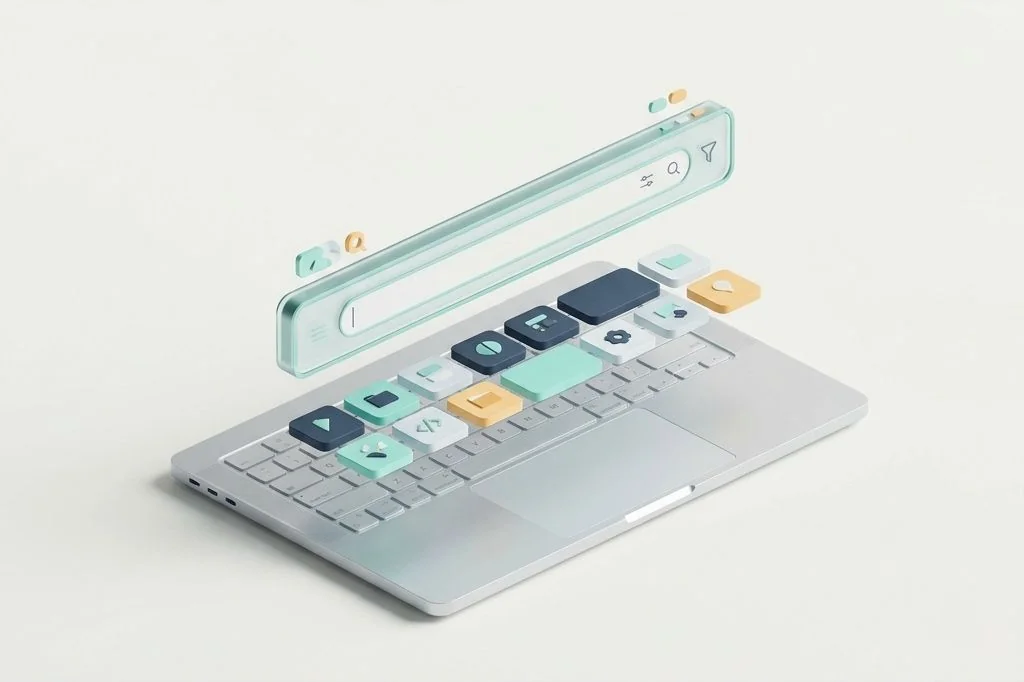
Every time you sit down at your desk, your computer presents you with an empty playing field. Most people navigate this digital room by pointing and clicking with a mouse, moving small arrows across glass screens to open folders, launch programs, and search for documents. But there is a much faster method that feels like speaking directly to an attentive assistant in your room. That method is the central command bar, summoned with a single tap of your fingers. When evaluating spotlight replacements vs native mac command palettes, the central question is how much friction you want to eliminate between your thoughts and your machine without turning your computer into a sluggish machine.
Key Takeaways
Here are the core principles for selecting your central macOS command hub:
- Think of a command bar as a smart digital butler standing ready in your hallway to fetch tools without requiring you to walk across rooms.
- The native macOS search bar uses almost zero extra desk space (RAM) and wakes up instantly without extra software updates.
- Modular launcher replacements function like versatile Swiss Army knives, offering custom hotkeys, clipboard history, and scripted actions at the expense of a heavier background footprint.
- Limiting external extensions keeps your launcher swift, preventing visual clutter and decision delays during daily tasks.
Understanding the Command Bar as a Digital Butler
Imagine your operating system as a sprawling house with dozens of different rooms. In this house, your files are stored in filing cabinets upstairs, your applications live in dedicated tool sheds out back, and your web browser acts like a doorway to the town outside. When you use a mouse, you are walking through the corridors on foot every single time you need a pencil, a notepad, or a calculator.
A command bar acts like a smart house intercom or a personal butler waiting in the main hallway. Instead of walking across three rooms to fetch an address or start a stopwatch, you press two keys, call out the name of the tool, and the butler hands it to you instantly. This single habit transforms how you interact with your machine, keeping your hands glued to the typing home row where your focus belongs.
The built-in system utility on your Mac provides a basic version of this butler. It knows where your files live, it can do elementary math, and it launches your primary software without delay. However, modern power users often find that this built-in companion stops short when asked to run complex sequences, coordinate window arrangements, or manage copied text snippets across a long workday. To build a truly cohesive workstation, reviewing practical digital efficiency principles ensures your core tools support your natural thinking rhythm rather than interrupting it.
The Built-in Palette: Light Footprint and Zero Maintenance
The default command palette that ships inside macOS comes with an undeniable architectural strength: it costs almost nothing in extra system resources. Because Apple engineers integrated this utility into the deep core of the operating system, documented in detail within the official Apple Spotlight documentation, it wakes up instantaneously and consumes negligible additional memory beyond the normal background operations of the machine.
To understand why this matters, think of your computer memory as a physical worktable. Every program you run occupies space on this table. The built-in launcher takes up no more space than a tiny notepad tucked into the far corner of your desk. It does not demand constant plugin updates, it never breaks when macOS receives an update, and it does not run separate background engines that generate heat or drain your laptop battery while working on a flight.
For individuals whose workflow centers on opening four or five staple applications, performing simple math calculations, and searching for document titles by exact name, the native bar delivers a reliable baseline. It respects the core philosophy of uncluttered computer management by refusing to burden your machine with external frameworks or redundant background helpers.
Standalone Command Engines: The Modular Workshop
When you outgrow the native bar, standalone launchers offer an entirely different design philosophy. Instead of a simple notepad on your desk, an extensible launcher acts like a modular workshop bench equipped with customized attachments. These tools integrate deep extension ecosystems, custom hotkeys, and automated scripting engines directly into the search prompt.
With an advanced command engine, your input bar ceases to be a mere file finder. It becomes a versatile action router. You can type two letters to resize your active editor, draft a quick note without opening a full text program, browse through days of clipboard snippets, or trigger shell scripts with a single return stroke. The speed benefit comes from eliminating context switching: you never leave your active line of thought to handle housekeeping chores.
However, this expanded capability introduces mechanical overhead. Many modern modular hubs rely on web technologies or specialized runtime environments to power their community plugins. While the developer experience is frictionless, the application must maintain a continuous memory presence on your digital desk. For anyone interested in minimizing background memory footprint in mac launcher tools, monitoring this baseline consumption is essential to prevent system sluggishness.
Architectural Comparison: Speed, Memory, and Extensibility
To make an informed decision between these two paradigms, it helps to examine their mechanical behaviors side by side. The differences reveal distinct philosophies regarding how an operating system should manage user input and system resources.
| Evaluation Dimension | Native macOS Command Bar | Extensible Replacement Hub |
|---|---|---|
| Memory Allocation (Desk Space) | Negligible (under 30 MB idle) | Moderate to High (120 MB to 450 MB) |
| Indexing Architecture | Deep OS metadata filesystem indexing | Custom hybrid local search and API queries |
| Extension Ecosystem | Closed (system settings only) | Open community stores and custom scripts |
| Clipboard Integration | None (requires third-party utility) | Native searchable clipboard history built in |
| Maintenance Friction | Zero configuration or upkeep | Periodic plugin updates and permission grants |
Notice how the trade-off plays out across the board. The native option behaves like a sturdy wooden hammer: simple, indestructible, and ready whenever you grab it. The extensible alternative resembles an electric multitool: capable of drilling, sawing, and sanding, but requiring an electrical outlet and regular maintenance to operate cleanly without jamming.
Practical Ergonomics and Keystroke Economics
Productivity is rarely won through massive technological leaps. Instead, it is won in tiny fractions of a second saved dozens of times each hour. When you reach for your trackpad or mouse, your hand leaves the keyboard, travels three inches to the side, acquires the mouse, slides the cursor to a menu item, clicks, and returns to the home row. That motion takes approximately two full seconds.
By comparison, pressing Command and Space, typing three characters, and hitting Enter takes less than half a second. Across an eight-hour working day where you perform hundreds of micro-actions, adopting keyboard driven quick actions for frictionless mac workflows saves thousands of unnecessary hand movements. This not only preserves your physical stamina but also prevents your mental train of thought from jumping the tracks.
The danger of over-extending your launcher
A common trap when adopting a modular launcher is installing dozens of plugins simply because they look clever in an online showcase. You might install extensions for weather forecasts, social media trackers, stock tickers, and coffee shop timers. Before long, your lean digital butler turns into a crowded street market.
Every unnecessary plugin adds clutter to your search results. When you type the letter C intending to open your Calendar, your launcher might suggest your Currency Converter, a Crypto Tracker, or a Camera widget instead. When search results become noisy, you are forced to stop, read the list, and use arrow keys to find your target. That visual hesitation completely erodes the speed advantage that led you to install the tool in the first place.
Establishing a lean configuration baseline
To keep your launcher razor-sharp, apply strict curation rules. Treat every plugin like an appliance plugged into a single shared electrical circuit. If an extension does not save you three physical clicks at least twice a day, remove it without hesitation. A high-performance command palette should master exactly four core tasks: launching programs, navigating local files, searching your clipboard, and executing your most frequent text snippets.
Frequently Asked Questions
Can I run both the native bar and a standalone launcher simultaneously?
Yes. You can assign different keyboard shortcuts to each tool. For instance, you can keep the native palette mapped to Command and Space for quick system file searches while assigning Option and Space to your modular launcher for automated workflows and window management.
Will a modular command bar drain my laptop battery noticeably?
If configured with discipline, the battery impact remains minimal. The primary battery consumers are poorly coded community extensions that poll network servers every few seconds. Stick to local-first extensions that only execute when explicitly called by your keystrokes.
Is my copied text secure when using an extensible launcher?
Most reputable standalone launchers store your clipboard database locally on your drive with solid encryption. However, you should always verify that any launcher you install does not send telemetry or sync copied data to remote cloud servers without your explicit permission.
Mastering your central command hub transforms your computer from a complicated machine into a natural extension of your hands. Whether you choose the featherweight simplicity of the native palette or the modular versatility of an extensible launcher, keeping your interface lean ensures your focus remains entirely on your creative output.