When I store an important idea, I want to know that I can still open it decades from now. Many people trust their daily journals and project notes to fancy cloud apps. Then one morning, that app changes its pricing, shuts down its servers, or locks data behind an unreadable format. Adopting the file over app philosophy is how I protect my thoughts, treating files like physical paper in a wooden desk rather than renting space inside someone else’s locked box.
Key Takeaways
Here are the core ideas behind keeping your notes completely independent from any software program:
- Your notes belong in open files on your computer drive, never trapped inside a secret database.
- Plain text files act like durable index cards that any program can read, even after decades pass.
- You can change your favorite note-taking tool anytime without losing a single sentence or tag.
- Physical metaphors help us understand digital storage: a hard drive is simply a sturdy metal filing cabinet.
- Simple folders keep your thoughts tidy without requiring complex plugins or constant software updates.
Understanding the Filing Cabinet and the Desk
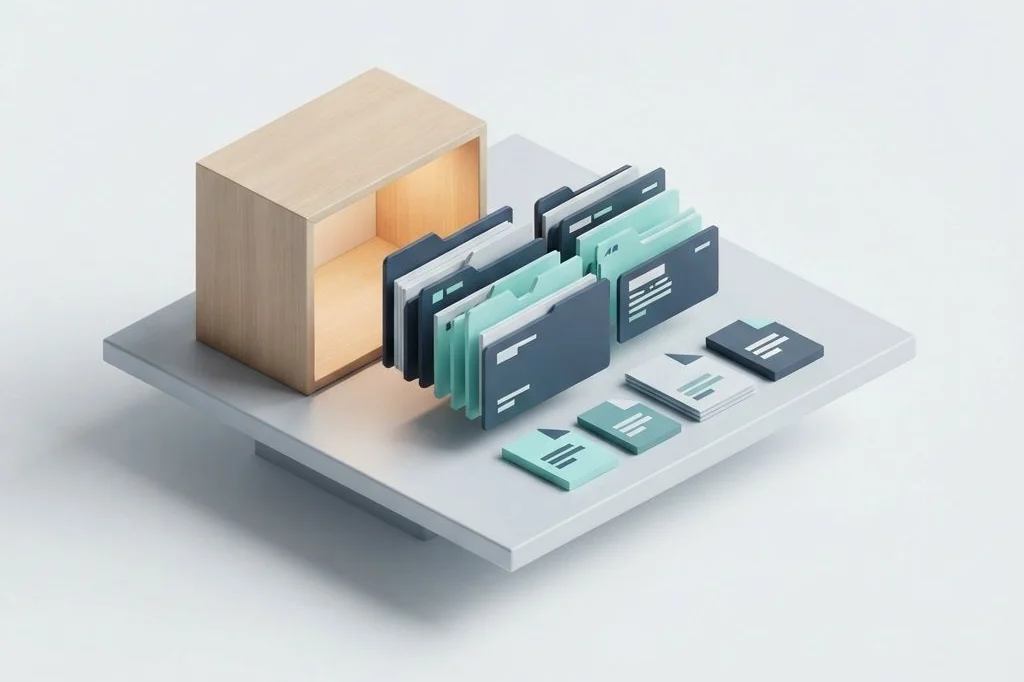
To understand why this approach matters, picture a simple physical office. When you sit down to work, your computer’s temporary memory acts like the surface of your desk. The wider your desk is, the more sheets of paper you can spread out at the same time. But when you finish for the day, you do not leave everything scattered across the desk surface. You pack your papers into clean folders and slide them into a sturdy metal filing cabinet.
That filing cabinet is your computer’s solid storage drive. In conventional cloud programs, you do not own the filing cabinet. You mail your private sheets of paper to a company warehouse far away. They promise to keep your papers safe, but they also scramble your writing into code that only their special magnifying glass can read. If that company closes its doors, your papers vanish with them.
As I often explore in system architecture articles across Easy Efficiency, true productivity begins with ownership. By saving thoughts as simple plain text files directly on my local drive, I keep my filing cabinet right beside my desk. No internet outage or corporate policy change can ever take my notes away from me.
Why Plain Text Lasts Far Longer Than Proprietary Apps
Think about a recipe written on an index card fifty years ago. You do not need electricity, a username, or a password to read it. You simply pick up the card and read the handwriting. Plain text notes work the exact same way in the digital world. A basic text file consists of universal letters and numbers that every computer built in the last forty years understands effortlessly.
When you use markdown formatting, you add simple punctuation marks to structure your thoughts. You type a single pound sign for a big heading, or two asterisks to emphasize a key phrase. That is all there is to it. The formatting lives right inside the words themselves, complying with universal specifications published by the CommonMark standard.
In contrast, proprietary note programs store your writing inside complex database containers. If you ever decide to switch to a different tool, exporting your work often results in broken layouts and lost links. With plain text, the file itself is the master document, allowing you to view and edit it with whatever lightweight editor you prefer on any given afternoon.
Comparing Note Storage Philosophies
To see the stark differences between these two approaches, examine how they handle everyday operational challenges.
| Operational Factor | App-Centric Model | File-Centric Model |
|---|---|---|
| Data Location | Remote corporate cloud servers | Your local computer drive |
| File Portability | Locked in proprietary formats | Universal plain text and markdown |
| Offline Access | Requires synchronization and online tokens | Instant and always available offline |
| Tool Flexibility | Tied to a single vendor interface | Open to hundreds of independent editors |
| Expected Lifespan | Until the company changes or sunsets | Indefinite, as long as hardware functions |
How I Organize My Local Folders for Effortless Clarity
Keeping files on your local drive does not mean letting your system descend into chaotic disarray. Just as a messy physical desk slows down your morning routine, a cluttered desktop screen creates cognitive friction. I apply the same digital hygiene principles that I detailed when comparing tab management extensions for clutter-free browsing: reduce active clutter so your brain can focus on one clear task at a time.
The inbox tray for rapid capture
I maintain one dedicated folder named Inbox. Whenever a quick idea strikes, or when I copy a snippet of research, I drop a brief note directly into this folder. I do not worry about perfect tags or nested categories right away. This functions like a physical drop-tray on my desk, ensuring that fresh ideas never slip away while I am busy doing deep work.
Active project folders for current focus
Beneath the inbox, I keep a Projects folder containing separate subfolders for tasks I am actively building this month. Each project folder holds its own markdown notes, research summaries, and reference lists. Because these are plain files, I can easily link across related items without touching external software menus.
The permanent archive cabinet
When a project reaches completion, I move its entire folder into my Archive directory. It leaves my daily view, freeing up mental space, yet remains completely searchable through standard operating system search bars. I do not need a background database engine running continuously, which helps maintain system health and echoes the efficiency habits I outlined in my guide on battery-safe mobile system routines.
The Freedom to Swap Your Tools Freely
The greatest reward of this philosophy is complete creative freedom. Today, you might enjoy writing in a visual editor with smooth fonts and split-screen previews. Tomorrow, you might prefer working inside a clean terminal window with zero distractions. Because your words live in plain files on your hard drive, you can open them with any application you wish without converting or migrating your database.
This freedom changes your relationship with technology. Instead of constantly adapting your thinking habits to match the quirks of a new software update, the software must adapt to your files. If an application becomes bloated, slow, or fills with intrusive notifications, you simply drag that application to the trash bin and open your files in another tool. Your life’s work remains untouched and intact.
By respecting open standards established by international computing consortiums like the World Wide Web Consortium, you ensure that your personal knowledge base remains resilient against the rapid churn of commercial tech trends.
Frequently Asked Questions
Can I still access my plain text notes on my mobile phone?
Yes. You can synchronize your local folder of markdown files to a private cloud storage service or peer-to-peer sync tool. Dozens of lightweight mobile text editors can then open and edit those exact files seamlessly on your smartphone.
Is markdown difficult to learn for non-technical writers?
Not at all. You can master the basics in less than five minutes. Typing a hash mark for headings and dashes for bullet points feels just like jotting down notes on a paper pad.
How do I back up my plain text notes safely?
Because plain text files take up negligible storage space, you can back up thousands of notes in seconds. You can copy your notes folder to an external thumb drive, a secondary hard drive, or an encrypted cloud drive with a single drag-and-drop action.