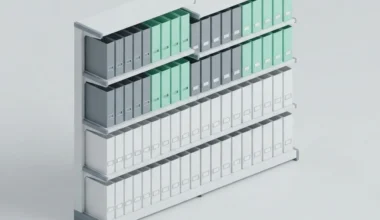
Whenever I invest hours into documenting what I learn, I want those insights to remain readable twenty, thirty, or forty years down the road. Too many people construct their digital second brain inside fragile commercial apps that disappear when a startup runs out of venture capital. Designing a future proof second brain architecture means anchoring your digital knowledge to open standards and local files that belong to you forever.
Key Takeaways
Essential pillars for constructing an enduring personal knowledge system:
- Open standards ensure your written thoughts outlive the commercial lifecycle of any specific software app.
- Local-first storage keeps your notes functional even if cloud servers disappear overnight.
- Physical metaphors help keep systems simple: a solid drive is an enduring metal filing cabinet.
- Decoupling the file format from the reading tool gives you complete freedom to switch software anytime.
- Regular offline backups protect against hardware failure without locking your data behind subscription paywalls.
The Perils of Rented Thinking Spaces
Picture building a customized library in a house you rent on a short lease. You spend months building specialized wooden shelves, organizing rare volumes, and cataloging every title. Then the landlord suddenly doubles your rent or announces that the building will be demolished next month. You find yourself scrambling to pack books into cardboard boxes, hoping nothing gets damaged in the move.
This is what happens when you build your second brain inside proprietary cloud tools. You are renting your intellectual foundation. The company behind the app can alter features, introduce aggressive paywalls, or shut down entirely. When that happens, exporting your knowledge frequently produces scrambled text, broken internal links, and lost attachments.
As I regularly emphasize in system design guides across Easy Efficiency, true efficiency requires architectural stability. By owning the foundational files directly on your local machine, you build on bedrock rather than shifting corporate sands. Your second brain becomes a permanent family estate that never faces eviction.
The Three Layers of an Enduring Digital Architecture
To construct a resilient second brain, I separate my knowledge management into three distinct functional layers. Decoupling these layers prevents a failure in one tier from corrupting the others.
Layer one: The storage medium
The foundation is your local computer drive. It functions like a sturdy metal filing cabinet kept inside your home office. Files stored here do not depend on Wi-Fi signals or external API tokens. You can access your notes whether you are on a high-speed fiber connection or working offline during a quiet weekend retreat.
Layer two: The data format
The documents inside that cabinet must use universal plain text and markdown. Conforming to open specifications maintained by organizations like the CommonMark group guarantees that any text editor built today, tomorrow, or fifty years from now can parse your headings, lists, and formatting without requiring translation software.
Layer three: The interface application
The top layer is the software tool you use to type and view your files. This application is just a disposable pair of reading glasses. If your current glasses feel too heavy, or if a software update introduces annoying clutter, you take them off and put on a different pair. The underlying books in your library remain completely unchanged.
Comparing Fragile Cloud Apps with Resilient Local Systems
The table below summarizes the architectural contrasts between common commercial platforms and an open, local-first second brain.
| Design Dimension | Proprietary Cloud Platform | Open Local-First Architecture |
|---|---|---|
| Data Ownership | Rented on corporate cloud infrastructure | Owned directly on your local physical drives |
| Format Standard | Proprietary databases and hidden schemas | Open-standard plain text and markdown |
| Offline Reliability | Prone to sync collisions and read-only locks | Always fully functional with zero latency |
| Tool Longevity | Vulnerable to corporate acquisitions and shutdowns | Immune to vendor churn and business shifts |
| System Impact | High memory usage and background battery drain | Minimal hardware footprint and silent operation |
Avoiding Common Over-Engineering Traps
When newcomers begin building a second brain, they often fall into the trap of over-complicating their workflows. They download dozens of third-party plugins, establish convoluted color-coded tagging systems, and spend hours configuring automated metadata fields. This excessive overhead quickly turns note-taking into a chore.
Every unnecessary plugin is like a small electrical appliance plugged into an already crowded power strip. Too many running daemons drain laptop battery and create unpredictable software conflicts, mirroring the problems I diagnosed in my analysis of battery-safe mobile system routines. Keeping your setup lean and keyboard-driven, as explored in my guide on terminal multiplexing concepts for single-window workflows, protects both system stability and creative focus.
A note system should serve your thoughts, not dominate your schedule. If creating a note requires filling out six different properties before you can type a single sentence, your architecture is actively working against your productivity.
Designing Sustainable Naming Conventions for Lifelong Recall
An enduring knowledge system relies heavily on predictable file labeling. Decades from now, you will not remember the arbitrary tag categories you invented this morning. However, you will always be able to search for specific plain language topics. Giving each document a clear, human-readable title ensures that your files remain discoverable through any basic operating system search bar.
I format filenames using lowercase words separated by hyphens, pairing the core topic with a brief functional descriptor. A file outlining home solar panels becomes home-solar-battery-backup-guide.md. When you keep names intuitive and avoid cryptic numerical codes, browsing your folders feels like looking at clearly typed labels along the edges of physical file tabs.
The Automated Conveyor Belt: Simple Backups
Keeping notes on your local drive brings immense privacy and speed, but it also means taking personal responsibility for hardware failure. Fortunately, because plain text files are minuscule in size, backing them up is effortless.
Think of automated backups like a postal conveyor belt. Whenever you add a new letter to your outgoing mail bin, a mechanical arm sweeps by, makes an identical photocopy, and places it inside a fireproof safe in another room. By using lightweight, automated sync tools to mirror your local markdown directory to an external drive or private encrypted cloud bucket, you protect your life’s observations against accidental drops or hardware crashes with zero ongoing effort.
Adhering to open standards established by the World Wide Web Consortium (W3C) guarantees that your linked notes and structural hierarchies will remain effortlessly accessible across every future computing platform.
Over decades of productive work, this architectural independence compounds into immense peace of mind. While other creators face sudden migrations, broken databases, and lost journal entries whenever a commercial tool sunsets, your personal knowledge ecosystem continues humming along smoothly. Your thoughts remain exactly where they belong: safe inside your own personal filing cabinet.
Frequently Asked Questions
How can I share local markdown notes with team members?
You can share folders via private cloud synchronization, a shared network drive, or a version control repository. Teammates can open the files using whatever text editor they prefer on their own computers.
What happens if a markdown file becomes corrupted?
Because plain text files contain zero binary encoding, corruption is exceptionally rare. Even if a few letters get scrambled during a bad disk write, the remainder of the file remains completely readable in any basic text editor.
Is local storage safe from ransomware or accidental deletion?
Local files are safe when paired with regular, versioned backups. Storing historical snapshots on an external drive or cloud service allows you to restore your entire note collection to a previous date in just a few clicks.