Whenever I write down a private thought or map out a complex strategy, I refuse to wait for a spinning loading wheel. Cloud apps that store your text on faraway servers often feel sluggish, especially when your internet connection hiccups. By building local first markdown ecosystems, I keep every single note sitting right inside my computer’s drive, giving me instant search speed, rock-solid privacy, and complete peace of mind.
Key Takeaways
The foundational principles of running your personal knowledge on a local-first system:
- Local-first tools read files straight from your drive, making searches happen in milliseconds.
- Your private journals and notes stay on your computer, safe from corporate data collection.
- You can work on an airplane, in a cabin, or during a neighborhood power outage without missing a beat.
- Markdown provides a simple universal grammar that keeps notes readable across any operating system.
- Separating your data from proprietary cloud silos protects your thoughts for decades to come.
What Local-First Really Means for Everyday Thinking
Imagine keeping your personal diary inside a physical notebook on your nightstand. Whenever inspiration strikes, you pick up a pen and write. You do not have to ask a faraway librarian for permission to open the cover, and no one can lock the pages while you are in the middle of a sentence. Local-first computing brings that exact physical simplicity into the digital world.
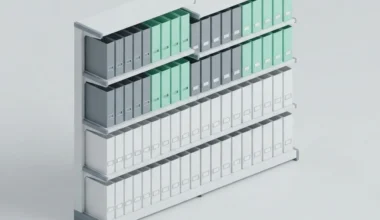
In standard cloud-first apps, every word you type travels through thousands of miles of cables to a server warehouse before saving. If the server experiences a glitch, your typing freezes. In a local-first system, your computer’s solid storage drive acts as your personal filing cabinet. Your software reads and writes files directly to that cabinet. The cloud only acts as an optional delivery conveyor belt when you deliberately choose to sync files to another computer.
As I often explore in my digital system workflows on Easy Efficiency, removing network latency from daily note-taking creates a noticeable psychological lift. When searching through thousands of past notes feels as instantaneous as turning a physical page, you capture more ideas and experience zero mental friction.
The Beauty of Open Markdown Standards
Many traditional programs disguise text formatting behind complex hidden codes. If you inspect a file from a standard word processor, you see thousands of lines of unreadable markup. Markdown eliminates this complexity entirely by using plain typographic conventions that humans and machines read with equal ease.
A single hash mark indicates a major chapter title. Simple hyphens create bulleted checklists. By standardizing on specifications published by the CommonMark project, your notes remain completely portable. If the software you use today ever becomes slow, bloated, or expensive, you do not need to export your library. You simply open your notes folder with a different text editor and carry on writing.
This durability is especially valuable when managing complex multi-window workflows. In my analysis of terminal multiplexing concepts for single-window workflows, I demonstrated how decoupling text from graphical bloat lets you navigate complex knowledge trees using simple keyboard commands, keeping your computer responsive and cool.
Comparing Cloud-First and Local-First Architectures
To highlight the structural differences between these models, examine how each architecture handles everyday knowledge management tasks.
| Operational Dimension | Cloud-First Platforms | Local-First Markdown Systems |
|---|---|---|
| Search Response Time | 200ms to 2000ms depending on internet | Under 15ms directly from drive memory |
| Data Privacy | Stored on third-party cloud servers | Encrypted locally on your personal machine |
| Offline Capability | Limited caching or read-only mode | Full editing and search without internet |
| Interoperability | Restricted to proprietary vendor APIs | Readable by any text editor or script |
| Backup Simplicity | Complex manual database export routine | Instant file copy to any thumb drive or cloud |
Organizing Your Knowledge Cabinet for Maximum Focus
Building a local markdown ecosystem does not require complicated organizational frameworks. In fact, over-engineering folder hierarchies often creates unnecessary friction that discourages daily writing. I treat my digital notes folder like a well-organized physical workshop.
The quick-capture scratchpad
I keep a single scratchpad note pinned to my screen. Whenever I need to jot down a quick phone number, an address, or a fleeting observation, I paste it directly into this note. It functions like a temporary clipboard tray on my desk. At the end of each afternoon, I spend three minutes reviewing this scratchpad and filing valuable insights into their proper project folders.
Topical project folders
For active work, I maintain clean, shallow folders dedicated to specific goals. Keeping folder structures shallow (rarely nesting more than two levels deep) makes it effortless to navigate your files using simple system search bars or file explorer windows without getting lost in bureaucratic trees.
Ambient focus and digital hygiene
Just as physical clutter on a desk distracts the eyes, digital clutter across multiple application windows fragments your concentration. Adopting principles from my guide on ambient window management and focus hygiene, I keep my markdown editor clean, minimal, and free of noisy sidebar widgets, creating a calm sanctuary for deep thought.
Keeping Your System Light and Free of Resource Bloat
One of the most satisfying benefits of working with local markdown files is how gentle they are on your computer’s hardware. Modern cloud applications often package an entire web browser inside their desktop programs, quietly devouring gigabytes of memory while running dozens of background processes. This memory drain feels like leaving every kitchen appliance and heating unit humming at full blast throughout your home, unnecessarily taxing your electrical system.
When you edit plain text files, your text editor sips negligible system power. Your computer fans remain silent, your laptop battery lasts hours longer, and your workspace remains cool. This hardware efficiency allows you to run multiple research tasks smoothly without experiencing typing stutters or sudden system lockups.
Protecting Your Digital Legacy for Decades
Technology companies rise and fall with astonishing speed. Popular note-taking applications that dominated discussions ten years ago have vanished or been acquired by corporate conglomerates that neglected development. Entrusting your life’s observations to a proprietary format is an unacceptable risk.
When your thoughts live in open markdown files on your drive, you achieve true digital sovereignty. Decades into the future, you will still be able to open those text files on whatever futuristic device you happen to be using, because plain text is an open, permanent standard endorsed by global computing bodies like the Internet Engineering Task Force.
By investing in a local-first system today, you build an intellectual asset that grows richer, safer, and more valuable with every passing season.
Frequently Asked Questions
Do local-first notes consume a lot of computer hard drive space?
No. Plain text is the lightest form of digital data in existence. An entire library containing ten thousand detailed markdown notes usually takes up less than fifty megabytes of disk space, which is smaller than a single high-resolution photograph.
Can I attach images or PDF files to my local markdown notes?
Yes. You can store your images and documents inside a dedicated assets folder alongside your text files. Markdown links can then display those images directly inside your notes without relying on external web hosting.
How do I search across thousands of local markdown files quickly?
Modern local-first editors and native operating system search utilities index plain text files almost instantly. You can locate any phrase or keyword across thousands of documents in just a few milliseconds.