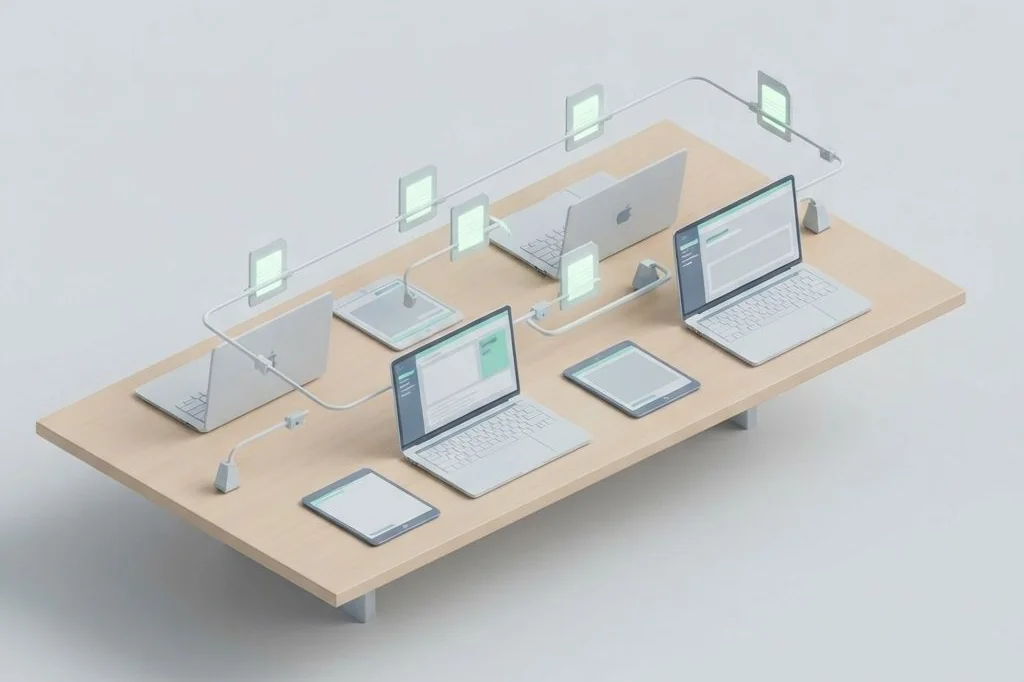
In my daily routine, I often move between a desktop workstation in my home office, a lightweight laptop at a coffee shop, and a smartphone on the go. If my personal thoughts were locked inside an app that only worked on one specific operating system, my daily workflow would grind to a halt. Designing a portable markdown notes system ensures that my ideas travel everywhere with me effortlessly, opening instantly on any machine I choose.
Key Takeaways
Practical foundations for maintaining note portability across diverse devices:
- Universal plain text files open without conversion across Windows, macOS, Linux, iOS, and Android.
- Lightweight synchronization moves notes like a gentle conveyor belt without background system drain.
- Physical metaphors keep technology approachable: a file folder is a portable briefcase you can carry anywhere.
- Standard relative links keep connected notes functional regardless of your computer’s directory path.
- Avoiding proprietary cloud plugins keeps your files responsive and completely self-contained.
The Portable Briefcase Metaphor
To grasp why portability is so liberating, think of your notes folder as a physical leather briefcase. Inside this briefcase, you pack clean paper notepads and neatly typed reference sheets. When you leave your office desk, you pick up the briefcase and carry it with you. Whether you set it down on a wooden kitchen table, a library study carrel, or a park bench, the papers inside remain completely legible. You do not need to buy a special key to open the briefcase just because you sat at a different table.
Many modern cloud programs do the exact opposite. They act like specialized display desks permanently bolted to a company floor. If you want to read your notes from a different computer, you must log into their proprietary software interface. If their mobile app lacks certain features or feels clunky on a smaller screen, you are completely stuck.
As I often demonstrate in my workflow investigations on Easy Efficiency, keeping your digital footprint lightweight empowers your daily agility. In my guide on maximizing screen real estate on laptop screens, I discussed how minimizing software clutter lets you work effectively on any display size. A portable markdown system embodies this exact principle: pure information freedom without digital excess.
How Plain Text Conquers Operating System Boundaries
Operating systems frequently compete with each other by introducing proprietary document formats. An application developed exclusively for one platform rarely runs well on another without heavy emulation. Plain text completely bypasses this friction. Every digital device built over the last half-century includes built-in software capable of reading plain text characters instantly.
When you format your notes using standard markdown syntax, you rely on universal ASCII and UTF-8 standards established by the World Wide Web Consortium (W3C). A hashtag for a heading or dashes for lists mean the exact same thing whether displayed inside a simple mobile editor or a sophisticated desktop knowledge base. Your thoughts remain universally readable across the entire computing spectrum.
Comparing Note Portability Across Systems
The table below highlights how portable plain text compares with common cloud-locked alternatives when working across multiple devices.
| Portability Factor | Vendor-Locked Cloud Notes | Portable Markdown System |
|---|---|---|
| Cross-Platform Support | Restricted to approved client apps | Works natively on any OS or terminal |
| File Synchronization | Forced proprietary cloud sync | Flexible: private cloud, thumb drive, or Git |
| System Memory Footprint | Heavy web wrappers using hundreds of megabytes | Tiny native text editors consuming under 20MB |
| Link Integrity | Tied to proprietary internal server IDs | Permanent relative file links within the folder |
| Offline Reliability | Prone to sync collisions and read-only locks | Immediate local read and write with zero delay |
Relative Linking: Keeping Your Thoughts Connected Anywhere
One of the biggest hurdles when moving files between different computers is handling file paths. If an application uses absolute paths (such as linking directly to a specific hard drive letter or user home directory), moving the folder to a laptop with a different username breaks every internal link. Your notes suddenly fail to connect.
The solution is simple: always use relative markdown links. Instead of telling your computer to look on drive C for a file, you tell it to look inside the current folder or one directory above it. This relative linking functions like telling someone to look in the blue folder right beside this one on the desk. No matter what room or building you move the desk into, the blue folder is still right beside the note, keeping your internal connections unbroken.
Adhering to these clean file linking structures prevents digital friction, similar to the calm clarity I achieve by maintaining disciplined browser hygiene in my analysis of tab management extensions for clutter-free browsing. When your links resolve predictably, navigating your knowledge base feels effortless.
Offline Resilience: Working Anywhere Without Connection Anxiety
One of the quietest luxuries in modern computing is the ability to disconnect completely. When you work inside cloud-dependent software, an intermittent internet connection creates constant anxiety. You hesitate before closing a window, worrying whether your latest paragraphs synchronized to the remote database or whether your words got lost in a connection timeout error.
With a portable markdown system, you never think about connectivity while writing. Your notes reside on your physical drive, meaning you can type at full speed inside an airplane cabin, on a remote train ride, or during a neighborhood internet outage. When your computer reconnects to a network hours later, your lightweight sync utility quietly transfers modified files in the background like a well-trained postal assistant, requiring zero attention on your part.
This peace of mind lets you focus entirely on your ideas rather than debugging your network tools. Knowing that your thoughts are safe and permanently stored on your machine frees your mind to tackle difficult creative problems with total confidence.
Choosing Your Lightweight Mobile Companions
On mobile phones, you do not need an elaborate desktop application with dozens of panes and graphs. Mobile devices are primarily capture and reading tools. When you are standing in line at a grocery store, you want to open a note in half a second, jot down a quick bullet point, and pocket your phone.
Because your notes are plain markdown files, you can choose any minimal mobile text editor that supports local folders or cloud directories. If a mobile app ever starts crashing or introduces annoying advertising banners, you uninstall it and switch to another text viewer in sixty seconds. Your underlying notes folder remains completely safe and untouched.
This separation of data from software tools is the ultimate superpower of personal computing. You own the content, while software applications compete politely for the privilege of displaying your words.
Frequently Asked Questions
How can I sync markdown notes between Windows and macOS?
You can store your markdown folder inside any standard file synchronization service or use open-source peer-to-peer file transfer tools. Both operating systems read and write the exact same plain text files without any conversion needed.
Do relative links work if I rename a folder?
If you keep connected files within the same self-contained project folder, you can rename the outer directory or move the entire folder to an external drive without breaking any internal relative links between those documents.
Can I edit my markdown notes using command-line editors?
Yes. Because the files are plain text, you can open and edit them in simple terminal editors like Nano, Vim, or Micro on any computer, providing maximum accessibility even during remote server sessions.